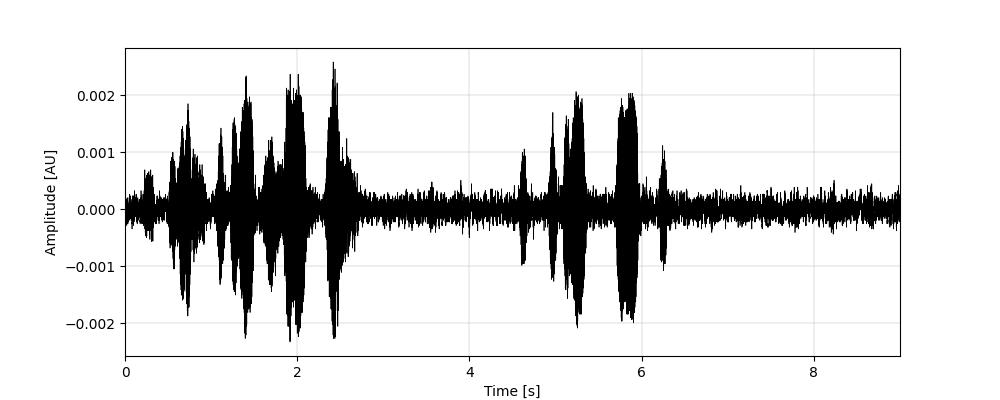
Basic Docker Setup to show a waveform with scikit-maad
scikit-maad is a Python package used in the field of bioacoustics to quantitatively analyze acoustic signals. Their site has a number of different examples but it is quite easy to use it in a Docker container allowing us to easily run the code in a containerized environment and exchange our code with other developers.
Our basic directory structure is as follows:
- app
- app.py
- requirements.txt
- sample.wav <- Our audio file
- wave.jpg <- Our resulting graph
- dockerfile
Our dockerfile in this case is extremely light since we are installing and running only one Python package.
FROM python:3.14

# Copy files over
RUN mkdir /app

# Set working directory
WORKDIR /app

# Copy and install Python dependencies
COPY /app/requirements.txt .
RUN pip install --no-cache-dir -r requirements.txt

# Copy application code
COPY /app /app

# Set entry point - for our docker run command
CMD ["python", "app.py"]
Our requirements.txt is equally light:
scikit-maad>=1.5.1
Finally, this is our app.py code:
import matplotlib.pyplot as plt
from maad import sound, util

s, fs = sound.load('./sample.wav')
fig, ax = plt.subplots(1,1)
util.plot_wave(s, fs)
plt.savefig("./waveform.jpg")
print("Saved waveform")
To run these:
# To build
$ docker build -t scikit-maad-container .

# To execute
$ docker run -v ./app:/app scikit-maad-container
Finally, here is the result, a waveform of an audio file of Great Horned Owls that I recorded in our backyard.